2026-09-17
Can you upload that photo? Rights on your source images
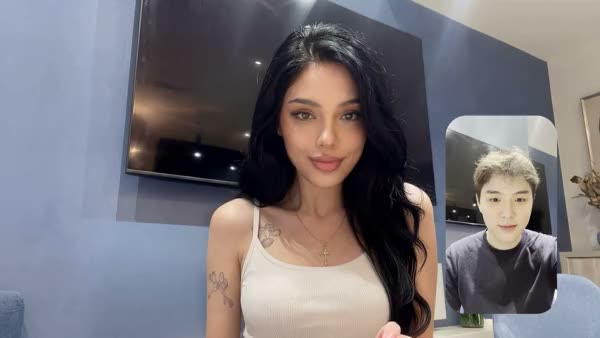
You should only upload source images you actually hold the rights to: your own photos, properly licensed material, or images of people who gave their permission. A random photo from the internet or someone else's portrait is not safe input for image-to-image or face swap.
When makers think about "rights and AI", they usually think only about the final result. But the photo you feed in counts just as much. Below you'll learn which source images are safe, why a stock photo isn't automatically free to use, and how to check in a few seconds whether you're allowed to use an image. This is general guidance, not legal advice.
Why rights on your input matter as much as on your output
Put simply: if you don't have rights to the source image, you can't safely use your final result either. An AI tool turns your upload into a new image, but the rights to the original don't disappear just because a model sits in between.
The scale of what's at stake shows in the Getty Images case against Stability AI. Getty accused the company of using more than 12 million of its photos without a license to build the model. On 4 November 2025 the UK High Court rejected most of the copyright claim, but the sheer number speaks for itself. With your own uploads, the same question plays out on a small scale: did you have permission for that image?
Which source images are actually safe to upload?
Safe images are the ones you can demonstrably show you have rights to. In practice that's three categories:
- Your own photos. Taken by you, on your own camera or phone. If you're in the shot yourself, you're covered as both the creator and the person portrayed.
- Material with a suitable license. Paid or free imagery whose license covers your use. Note: many licenses do not cover AI input, see below.
- Images of people who gave permission. A model, client or acquaintance who agreed to your using their photo as a source, ideally recorded in writing.
Not sure about an image? Then it isn't a safe source. In that case, generate a fictional character in the photo generator instead and use that as your fixed reference.
Why a stock photo isn't automatically free as AI input
Buying a stock photo doesn't mean you're allowed to feed it into an AI tool. Standard stock licenses often restrict exactly this kind of AI input. Adobe Stock, for example, explicitly forbids using licensed material to "create, train, test, or otherwise improve" AI systems, and Shutterstock's standard license carries a similar restriction.
Imagery you feed in through image-to-image or as a reference quickly falls under clauses like these. So read your source's license terms before you upload, and don't assume "I bought it, so it's fine".
Portrait rights and privacy: a face isn't free material
Once a recognizable face appears in your source image, more than copyright is involved. Under the GDPR, a photo in which someone is recognizable is personal data. Processing it, which includes uploading it, requires a valid legal basis, usually consent.
On top of that, the Netherlands has portrait rights (portretrecht). Under Article 21 of the Dutch Copyright Act, a person who is portrayed can object to publication if they have a reasonable interest in doing so. And watch the double layer: if someone else took the photo, that person holds the copyright, even if you're the one in it. So you need permission from both the creator and the person portrayed.
That makes face swap sensitive. If you want to move a face across with AI Face Swap or place a person into a scene with Swap Studio, only use a face you have permission for: your own, or someone's who agreed.
How to work safely: a short checklist
Run through this list before every upload:
- Is the image mine? Made by me, or under a license that covers AI input.
- Is there a recognizable person in it? If so, do you have that person's permission?
- Who took the photo? For a photo taken by someone else, you also need the creator's permission.
- What does the license say? For stock or free imagery: is AI use allowed?
If you can't answer every step with "yes", don't use the image as a source.
Frequently asked questions
Can I upload a photo from Google or Pinterest as a reference?
No, not just like that. A photo you find online almost always has a creator with copyright, and often a recognizable person with portrait rights too. Without permission, that's not safe input.
I bought the stock photo, so can I use it as AI input?
Not automatically. Many standard licenses, including Adobe Stock's and Shutterstock's, restrict using material for AI. Always check the license terms before uploading such an image.
What about a photo of myself?
A photo you took yourself and that you're in is the safest source: you're both the creator and the person portrayed. If someone else took the photo, you still need that creator's permission.
Rights on your input sound dull, but they keep your content usable and brand-safe. So start with a source you can use with confidence: your own imagery, or a fictional character you generate yourself.
Ready to get started safely? Create an account and build up your own reference material.