2026-07-16
Outfit consistency: the same look across images
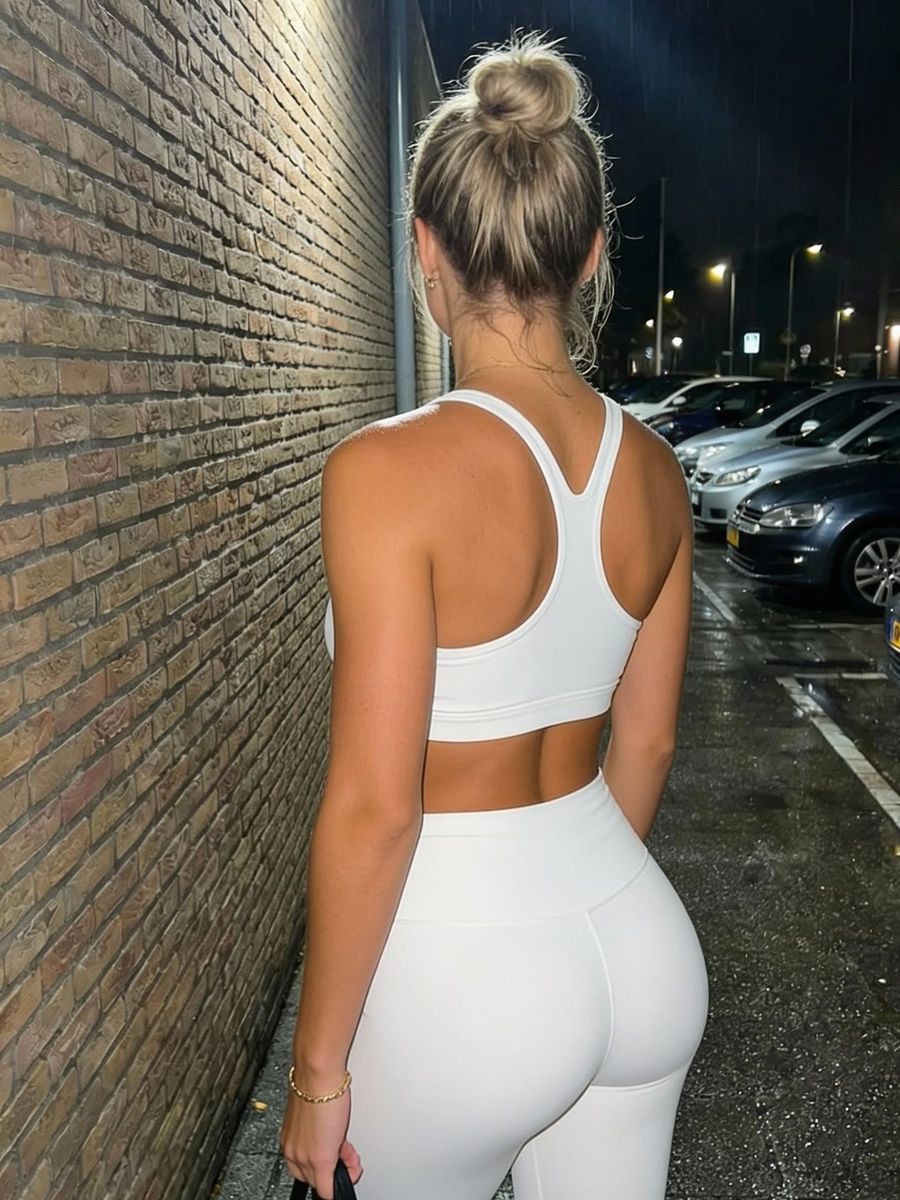
You keep an outfit consistent by passing it in as a reference image and repeating only the features that define the garment in your prompt: cut, length, closure, material and where a print sits. Words alone are too vague for that. And the colour? It's allowed to look slightly different from photo to photo, because real clothing does the same.
Why your outfit drifts between two renders
Because the model has no memory between renders. Every generation is a fresh draw, and everything you don't pin down gets filled in again. Slightly differently each time.
Look at what an ordinary description actually leaves open. "Blue denim jacket" says nothing about the wash, the collar, the number of buttons, the chest pockets, whether it ends at the hip or just below, or whether the seams are contrasting. Those are dozens of choices the model makes on your behalf. In your first render you like them, in your second you get a different combination, and you're looking at a different jacket.
Consistency isn't a matter of asking better. It's a matter of leaving less open.
Why a reference image beats a description
Pass your outfit in as an image, not as a sentence. A photo captures in one go what you'll never fully get into text, and it leaves the model nothing to guess at.
Three approaches that work in practice:
- Your successful image as a reference. Use the photo where the outfit is right as your starting point in the photo generator and describe only the new scene.
- Supply face and outfit separately. In Swap Studio you combine a face photo with a separate outfit reference, so identity and clothing each come from a fixed source.
- Pick a clean reference. The outfit needs to be clearly visible, evenly lit, with no deep shadow across the details. A reference where the closure falls into darkness gives you a model that invents the closure.
Which features should you lock down?
Lock the features someone would name if they had to recognise the garment, not the ones that sound good. Write them once, then paste that block under every prompt.
- Cut and length. Oversized or fitted, ending at the hip or at the waist, cropped or not.
- Closure and hardware. Zip or buttons, how many, which metal colour, a buckle or a drawstring.
- Collar and neckline. A classic shirt collar, a stand collar, a crew neck.
- Material and weave. Denim, ribbed knit, satin, leather. This also drives the sheen, and sheen is what makes an outfit read differently the moment the scene changes.
- Colour in plain words.
washed indigo denimis usable,#3B5998is not. - Print or logo and where it sits. "Small emblem on the left chest" is steerable, "with a logo" is not.
What you end up with is a fixed block of a few lines: cropped washed indigo denim jacket, silver buttons, classic collar, small embroidered emblem on the left chest. Boring to read, which is exactly why it works.
Why your jacket is allowed to look different per photo
Don't expect your colour to stay pixel-identical across scenes. It shouldn't, and it's actually suspicious when it does.
Colour constancy is your visual system's ability to see an object's colour as stable even when the lighting changes completely. How good people are at it long depended on the lab: measured values ranged from 15 to 80 percent. When Gegenfurtner, Weiss and Bloj tested it with real objects in a natural task, something else came out: a mean constancy index of 93.9 percent and a median of 99.2 percent, so near-perfect (Journal of Vision, 2024).
That study looked at real objects rather than photos, but the principle underneath applies to your viewer too: people judge the colour of clothing relative to the light in the scene, not as an absolute pixel value. A jacket that holds exactly the same values in golden hour as in shade therefore reads as pasted in rather than as consistent.
In practice that means two things. Describe your colour in stable, plain language and let the scene's light work on it. And spend your attention on the features your viewer does register as "a different jacket": a collar that changes, buttons going from silver to gold, an emblem that migrates to the other side of the chest.
When to retouch instead of regenerate
Retouch as soon as the scene is right and only an outfit detail is off. A wrong collar or a vanished emblem is a targeted fix in the AI editor, without putting your composition, light and face back on the table.
Regenerating is the better call when the cut itself is wrong, because that changes the silhouette of your whole subject. Since you pay per render and top up your own credit, you can make that call per image instead of per subscription.
Frequently asked questions
Why does my outfit change slightly with every render?
Because the model has no memory between renders and fills in every detail you don't name. Anything you leave open gets guessed again each time.
Can I lock an outfit with a prompt alone?
For a simple garment, often yes. For a recognisable look, rarely. A reference image fixes the cut, the closure and the position of a print in one go, where text only approximates it.
Does my outfit need the exact same colour in every photo?
No. Viewers judge colour relative to the light in the scene, so a shift between sunlight and shade is normal. What does get noticed are changes in cut, closure and print.
Outfit consistency is less a prompting problem than a pinning-down problem: pass in an image, repeat a fixed block of features, and allow the colour its natural shift. Create an account and lock your own look across multiple images.