2026-07-26
Mixing artificial and natural light in AI scenes
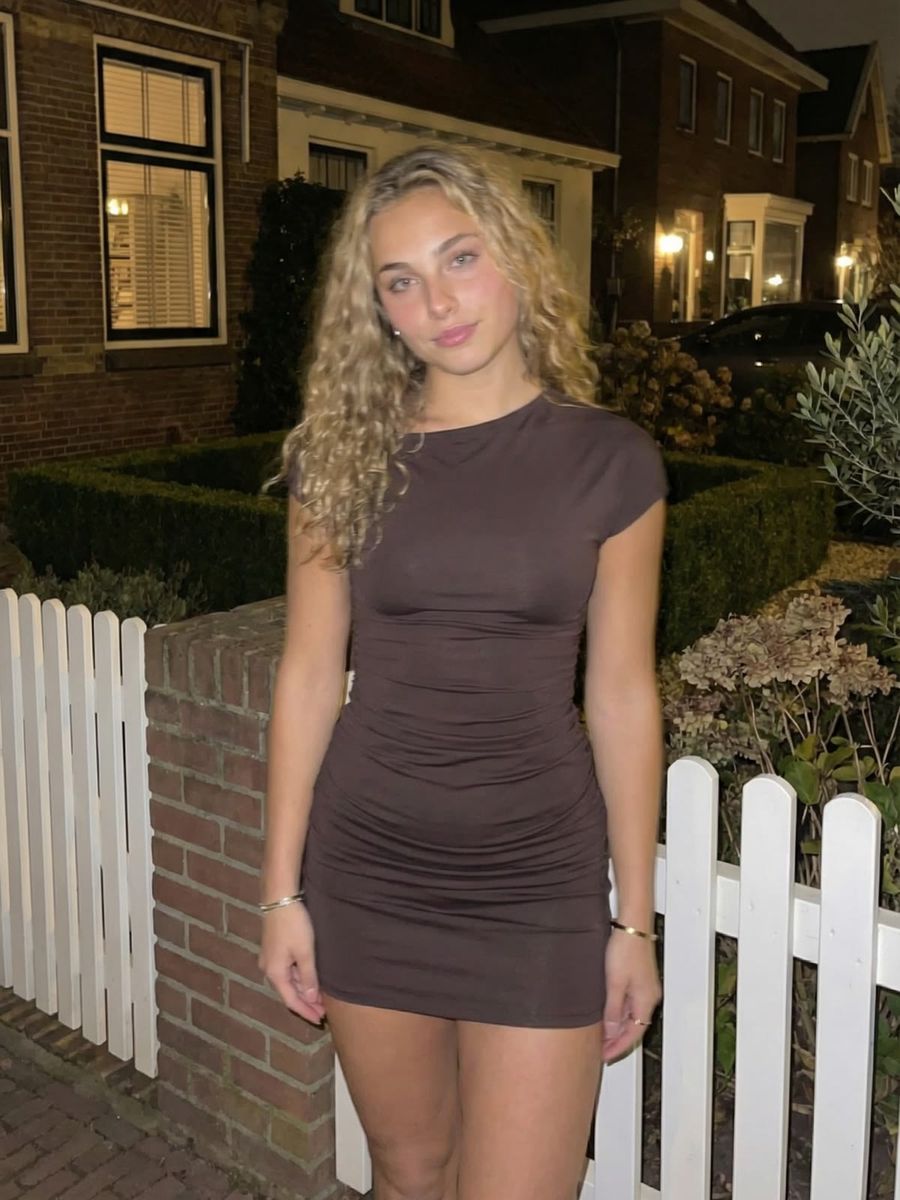
You blend artificial and natural light believably in an AI scene by making one source dominant and deliberately matching the color temperatures: warm lamp light around 2,400 to 2,700 kelvin next to cooler window light around 5,500 kelvin. Put the two side by side without a plan and you get a half-orange, half-blue face that instantly reads as fake. Here is how to make light cooperate instead of clash.
Why mixed light so often goes wrong
Mixed light clashes because light sources have different color temperatures. Color temperature, expressed in kelvin (K), describes how warm or cool a source looks: low values are orange-red, high values are bluish (according to Wikipedia).
The differences are bigger than you would think. A candle flame sits around 1,850 K, a standard incandescent bulb around 2,400 K and a warm-white LED around 2,700 K, while daylight falls between 5,000 and 6,000 K and an overcast sky lands around 6,500 K.
So a room with a window on one side and a table lamp on the other combines two sources thousands of kelvin apart. Your eye corrects most of that automatically; an AI model does not. The result: the window side looks blue, the lamp side orange, and the whole thing feels restless.
Make one light source dominant first
The key decision: pick one main light and let the rest support it. A scene with one clear light direction almost always looks more natural than two sources fighting for attention.
- Pick the window as your main light and the scene stays mostly cool and daylight-neutral, with the lamp as a warm accent in the background.
- Pick the lamp and the whole frame turns warm and intimate, with the window as a cool edge along the silhouette.
State that hierarchy literally in your prompt, for example: "main light: soft daylight from a window on the left; secondary: warm table lamp glow on the right." That tells the model what sets the tone and what is only an accent.
Describe the color temperature in your prompt
Name both the light source and its warmth. Models respond more reliably to recognizable sources than to bare numbers, so write "warm tungsten lamplight" or "cool overcast window light" instead of "3200K."
A workable prompt structure for a mixed scene:
- Subject and scene: "woman reading on a couch, evening, cozy living room."
- Main light and direction: "main light: cool daylight from a large window, camera left."
- Accent light and color: "warm table lamp glow behind her, soft orange rim on the hair."
- Tone and balance: "natural white balance on the face, warm and cool light clearly separated."
Put the most important light source first. Because of how AI models read prompts, what you name early carries more weight than what comes last.
Combining window light, lamps and neon
Every light source has its own role; give it that role on purpose.
- Window plus lamp: let the window define the shape and volume of your subject, and let the lamp only add a warm glow on the hair, shoulder or background. Not both at equal strength.
- Neon as an accent: neon is a colored accent light, not a main light. Let the color land on one surface, such as a cheek, a wall or a wet street, so it has somewhere to sit instead of hazing over everything.
- Outdoors at night: warm window lights from houses against a cool night sky are a classic, believable mix. That is exactly the combination you see in the example photo above this article.
Keep skin and white surfaces natural
Skin and white clothing are your reference point: they show at a glance whether the color mix is right. Never let a face wash out to fully orange or blue, even when the accent light is strong.
Ask explicitly for "neutral skin tones, natural white balance on the face." That keeps the face readable while the lamp or neon light holds its color on the edges and the background. A slight color cast on skin is fine; a fully colored face almost never is.
How to fix a skewed color mix
If the balance is off, correct it precisely instead of throwing everything away.
- Re-render in the photo generator with a clearer light hierarchy: one main light named, the rest as accent.
- If only one surface is too warm or too cool, correct it with inpainting via the AI Photo Editor: select just that area and generate it again.
- If words are not getting you there, let the prompt generator build a clean lighting description for you.
In short: choose one dominant light, name the color temperature per source, and use skin as your reference point.
Frequently asked questions
Why does my AI photo look half orange, half blue?
Because two light sources with sharply different color temperatures clash, for example a warm lamp (around 2,700 K) next to cool window light (around 5,500 K). Make one source dominant and set the other as an accent, and the split disappears.
Can I put color temperature in kelvin into my prompt?
You can, but named sources work more reliably. "Warm tungsten lamp" or "cool daylight window" steers a model more precisely than a bare number like "3200K."
How do I fix a wrong color cast without redoing everything?
With inpainting. You select only the too-warm or too-cool area, such as one side of the face, and regenerate that part. The rest of the photo stays untouched.
Want to play with light until it looks right? Create an account and pay only per render you use.