2026-07-20
Lifelike Eyes in AI Portraits: Gaze and Catchlights
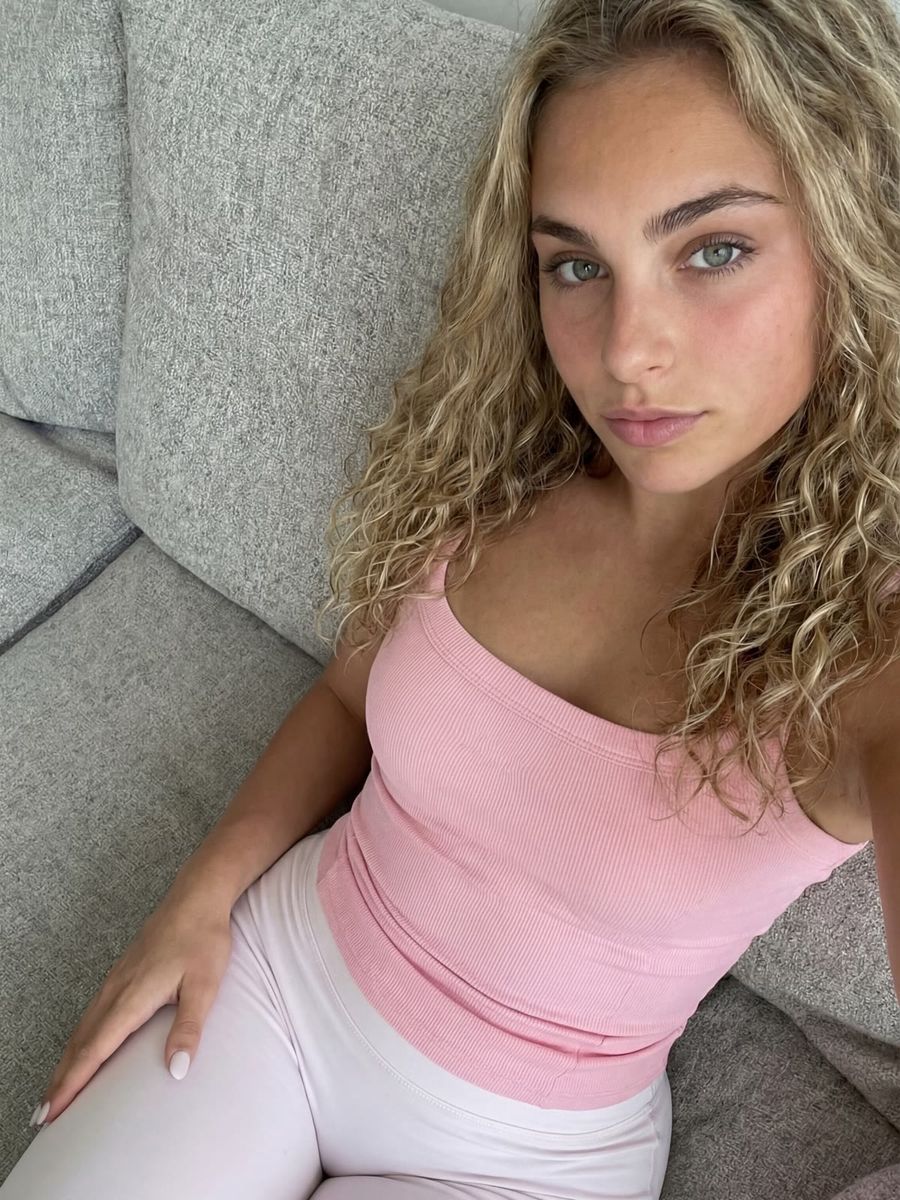
You get lifelike eyes in an AI portrait by steering three things explicitly: the direction of the gaze, the catchlights (the light reflections on the cornea) and the consistency between the left and right eye. Leave those to the model and you regularly get a portrait that is technically correct but still doesn't read as a real person: a blank stare, dull eyes without any sparkle, or two eyes that don't quite seem to be looking at the same thing. Below you'll read where it goes wrong and which words fix it.
Why the eyes are what give an AI portrait away
Eyes give an AI portrait away because that's where a viewer looks first, and because the physics of reflections becomes visible there. It isn't about image quality, then, but about details you check without realising it.
That AI faces are convincing in themselves is well documented by now. In a study by Sophie Nightingale and Hany Farid in PNAS (2022), participants had to tell real faces from AI-generated ones. The average score was 48.2 percent (95% confidence interval 47.1 to 49.2), so right around guessing level given a 50 percent chance rate. In other words, people barely see the difference.
Where it does become visible is in the eyes. Researchers from the University of Hull presented a method at the Royal Astronomical Society National Astronomy Meeting that analyses light reflections on eyeballs using techniques borrowed from astronomy. Their finding: in real photos the reflections in both eyes match, while in AI images they often don't. Among other tools they used the Gini index, a measure of light distribution where 0 means the light is spread evenly across the pixels and 1 means all of it sits in a single pixel. Lead researcher Kevin Pimbblet explicitly calls it no "silver bullet": there are false positives and false negatives. But it does point exactly at the detail you should be checking yourself.
What a catchlight is, and why eyes without one look dull
A catchlight is the specular highlight a light source leaves on the cornea. According to Wikipedia, eyes without catchlights are often described as dull or lifeless, which is why lighting professionals deliberately arrange their studio setup to create them.
The shape of that highlight follows the light source, and that's exactly what you can name in your prompt:
- Softbox: a soft rectangle with smooth edges.
- Ring light: a recognisable ring around the pupil, the classic beauty and vlog look.
- Window light: a rectangular patch, often with the frame divisions visible in it.
- Sun outdoors: a small, hard, bright dot.
Useful prompt words: catchlight in the eyes, soft window light reflected in the eyes, ring light catchlight, bright specular highlight in the iris. Describe your lighting and the catchlight in one breath, for example: "portrait lit by a large window on the left, soft rectangular catchlight in both eyes".
How to steer the gaze in your prompt
Treat gaze direction as a separate instruction, independent of how the head is turned. Otherwise models often default to looking straight down the lens, even when that doesn't suit your scene.
- Direct contact:
looking directly into the camera,direct eye contact with the viewer. Strong for close-ups and thumbnails. - Away from the camera:
gaze directed out of frame to the left,looking slightly upward,looking down at her hands. This makes an image feel observed rather than posed. - Head and eyes separately:
head turned three-quarters to the left, eyes toward the camera. That's the classic over-the-shoulder look, and it carries far more tension than a frontal portrait. - Eyelid position:
relaxed eyelids,slight squint,soft gaze. This is your brake on the blank stare.
Watch out for one common mistake: terms like wide open eyes or staring at the camera rarely produce a lively gaze, and usually produce a startled or empty face instead. A genuine smile also lives in more than the mouth. Add genuine smile with slight crinkling around the eyes, or you'll get smiling lips paired with neutral eyes, which reads as fake. Not sure how to phrase it? The prompt generator turns your idea into a complete description, gaze and lighting included.
Both eyes have to see the same world
Both eyes look at the same scene and catch the same light, so their reflections should match in position, shape and number. That's precisely where the Hull research catches AI images out, and you can check it with the naked eye.
Run your render past this list before you use it:
- Do the highlights sit in roughly the same spot in both eyes, for example top left in each?
- Is the number of reflections equal? One catchlight on the left and three on the right doesn't add up.
- Are both pupils the same size and properly round?
- Are the eyes looking at the same point, or does one subtly drift off?
- Does the reflection match the light you described? A window on the left means a catchlight on the left.
Small differences are normal, by the way, in real photos too: the eyes sit slightly apart and catch the light at a marginally different angle. It's the gross mismatches that matter, because those you notice straight away without knowing why the image feels off.
Fixing eyes without regenerating the whole photo
If you have a good portrait with one bad eye, use inpainting instead of a fresh render. That saves time and credit, and keeps the rest of the image exactly as it is.
- Select only the eye and a small area around it, not half the face.
- Describe what should be there, including the reflection: "natural human eye, round pupil, single soft catchlight in the upper left of the iris, matching the other eye".
- Then compare both eyes once more against the five points above.
You do that in the photo editor. If your subject sits small in the frame, the eyes consist of very few pixels and are barely repairable. In that case, regenerate with tighter framing, or use the upscaler to recover some detail first.
Frequently asked questions
Why do the eyes in my AI portrait sometimes look misaligned?
Because the model builds each eye separately and there's no physical model behind it making them converge on the same point. Ask explicitly for both eyes focused on the same point and judge every render on pupil size and gaze direction.
Can I lock in eye colour across a whole series?
Yes, but name it literally every time, for example light green eyes. If you work with a fixed persona and good reference photos, eye colour holds up better on its own than when you only describe it in text.
What about eyes in AI video?
Video adds movement: blinking and tracking something in the scene. Describe that briefly, for example blinks naturally, eyes following the passing car, because without that cue characters sometimes stare through an entire clip without blinking once.
Eyes are the detail your viewer spends the longest looking at, so they're worth one extra sentence. Create an account and render the same person with and without a described catchlight in the photo generator. The difference between a dull and a living portrait often comes down to that single highlight.