2026-08-02
A face swap that keeps the person recognizable
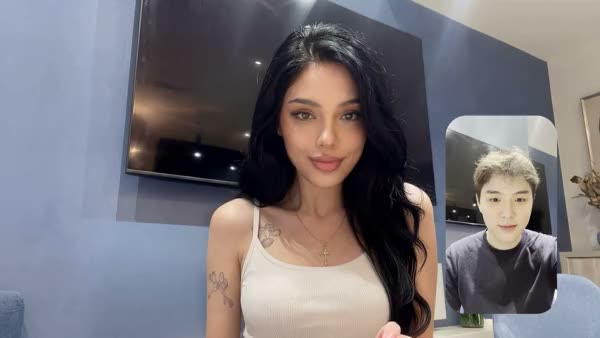
A face swap stays believable when your source photo is sharp, front-facing and well lit, and matches the target scene in angle and light: then the face stays recognizable without looking pasted on. Most failed swaps aren't a technology problem but a preparation problem. Here's how to hold on to the person's identity.
What "keeping identity" in a face swap means
A face swap replaces the face in an existing photo or video with someone else's, while keeping the pose, lighting and surroundings of the original. Keeping identity means the distinctive features (eye shape, nose, jawline, proportions) stay intact, so it reads as the same recognizable person across every shot.
When that breaks down you get "identity bleeding": the model blends the source with the target face and the person looks slightly different from shot to shot. That's exactly why a series can end up looking inconsistent.
Start with the right source photo
Your source photo sets the ceiling: the model can't make the face sharper or more recognizable than the photo you feed it. According to WaveSpeed's technical explainer on face swapping, a source photo works best when it's at least 512 pixels on the long edge, shot straight on and evenly lit. Past roughly 30 degrees of turn, quality degrades visibly.
- Pick a sharp, frontal photo with both eyes visible
- Use even light with no hard shadow across the face
- Avoid sunglasses, extreme angles and heavy filters
- Aim for 1024 pixels or more on the long edge: the more detail in the source, the better the result
Match light and angle to the target scene
Lighting mismatch causes more unnatural results than any other factor. Your brain instantly registers a face lit from the left inside a scene lit from the right, even if you can't name what's wrong.
So watch three things between source and target: the direction of the key light, the color temperature (warm or cool) and the contrast of the shadows. If you can't find a perfectly matching source, pick a face lit neutrally and softly from the front; that blends most gracefully across varied scenes. For video, keep the head angle close to the target's, ideally within 15 to 20 degrees of straight on.
Choose how much of the original you keep
Not every job needs a full swap. The less you transfer, the smaller the chance the identity drifts. In Swap Studio you decide how much of the original stays:
- Full swap to place the person entirely into a new scene.
- Keep the outfit when only the face and build should come along.
- Face only when the pose, clothing and scene are already right.
- Describe your own scene in text when you have no reference image.
When in doubt, start with the smallest change that meets the goal. That keeps the rest of the frame stable and the person the most recognizable.
Photo or video: which tool fits
For a still or a portrait in a new setting, use Swap Studio: you combine a face photo with a body, outfit or scene reference into a photorealistic 9:16 image. To put a person into an existing clip, AI Face Swap is the tool. You upload a photo and a video, the AI detects the face automatically, and you see a preview before rendering the full clip.
Modern models work in multiple steps (diffusion) rather than a single fast pass, which usually yields a more natural result with fewer of those uncanny edges. Both tools bill per render, so you can test a preview before committing to the whole scene.
Use it responsibly
Work with your own face, with an AI persona you control, or with someone who has explicitly given permission. Don't use a face swap to imitate real people or place them in situations they never agreed to. That keeps your content usable and clean.
Frequently asked questions
Why does my face swap look fake?
Usually a mismatch in light or angle between the source photo and the target scene, or a blurry or over-turned source. Fix it at the input side: pick a sharp, frontal, evenly lit source that matches the scene.
Which source photo works best?
A sharp, frontal, well-lit face of at least 512 pixels on the long edge, preferably larger. Both eyes visible, no sunglasses, no hard shadow, and turned no more than about 30 degrees.
How do I keep the same person across multiple images?
Use the same source photo (or the same persona) every time, keep the angle consistent, and choose the smallest possible change per image. Vary the scene and the light, but not the source material.
Can I use anyone's face?
Only with permission, or if it's your own face or persona. Don't use a face swap to imitate real people without their consent.
Ready to place a face cleanly into a new scene? Create an account and test a preview first.